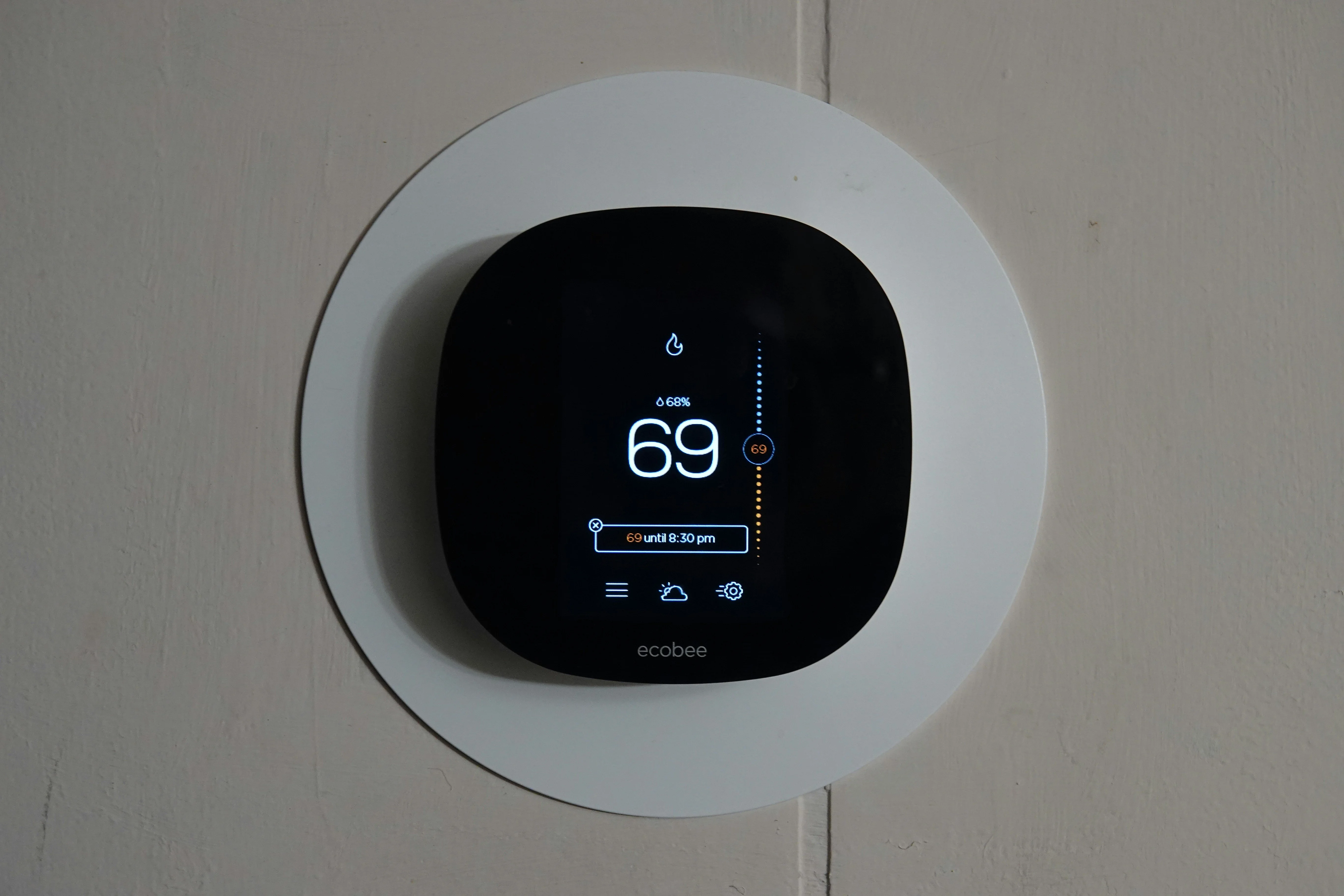
Are Smart Thermostats Actually Worth the Price? The Real Numbers
A smart thermostat costs $130–$250. Your current thermostat cost $25. Is the upgrade actually justified? For most households with central HVAC: yes — and the payback period is shorter than most people expect. The harder question is which model is right for your setup.
The real energy savings data
Ecobee published independent data showing their thermostats save an average of 23% on heating and cooling costs annually. Nest cites similar figures (10–15% on heating, 15% on cooling).
The caveat: these numbers assume you were previously running a fixed schedule or forgetting to adjust the thermostat manually. Already running an aggressive manual schedule, and savings will be lower.
What 23% actually means in dollars
The average US household spends around $900/year on heating and cooling (EIA data). A 23% reduction equals roughly $207/year in savings.
At $200 for a smart thermostat, the payback period is under 12 months. After that, it’s pure savings.
A $130 model (like the Ecobee Smart Thermostat Essential) pays back in 7–8 months under those averages.
Check compatibility before ordering anything
Not all thermostats work with all HVAC systems. Do this check before buying:
Count your wires. Pull your existing thermostat off the wall (power off first) and count the wires connected to terminals:
- C-wire (common wire): most smart thermostats need this for continuous power. If you don’t have one, Ecobee includes an adapter kit; Nest can sometimes steal power from other wires (less reliable)
- 2-wire systems: heat-only or older systems — fewer smart thermostats support this. Check compatibility explicitly.
Check your system type:
| System | Compatible? |
|---|---|
| Central forced air (gas/electric) | ✅ Yes |
| Heat pump | ✅ Yes (most models) |
| Radiant/baseboard heat | Depends — check spec sheet |
| High-voltage (240V) | ❌ No standard smart thermostat works here |
| Steam/boiler | Limited options (Nest E, some Ecobee) |
Most US homes with central forced air are fully compatible.
How smart thermostats save energy
Three mechanisms drive the savings:
Learning and scheduling — Devices like Nest learn your patterns over 1–2 weeks and build an automatic schedule. Ecobee lets you set it manually. Either way, the HVAC runs less when you’re asleep or away.
Geofencing — The thermostat detects when you’ve left via your phone’s location and adjusts automatically. No forgetting to set the temperature before a trip.
Room sensors — Ecobee’s SmartSensor add-ons detect occupancy and temperature in specific rooms, directing comfort where people actually are rather than averaging across the whole house. In multi-room homes, this alone makes a significant difference.
Ecobee vs. Google Nest: which is right for your home
Ecobee Smart Thermostat Premium (~$250)
The most capable thermostat available for most homes. Built-in Alexa eliminates the need for a separate Echo. Air quality and humidity monitoring add context beyond temperature. SmartSensor support is the strongest room-balancing system in its category. Works with Alexa, Google, HomeKit, and SmartThings — the broadest compatibility available. C-wire adapter included.
Right for larger homes, HomeKit users, and anyone who wants room sensors to actively balance comfort across zones.

Ecobee Smart Thermostat Enhanced (~$180)
Same core scheduling and geofencing as the Premium, without the air quality sensor and built-in Alexa. Still supports room sensors — the feature that actually drives the largest energy savings in multi-room homes. 95% of the Premium’s capability at 30% lower cost.
The right pick for most households.

Google Nest Thermostat (~$130)
The most streamlined setup experience in the category. Learns your schedule automatically over 1–2 weeks, sharp display, and Google Home integration that’s among the best available. No room sensor support. No HomeKit.
Right for Google ecosystem households and simpler homes where room sensors aren’t needed.

Nest Learning Thermostat (~$250)
The original premium smart thermostat — still excellent. Multi-stage system support, strong compatibility range, premium build quality. Shows its age slightly compared to Ecobee’s sensor ecosystem, but remains a top-tier option for Nest households.
Installation: easier than it looks
Most installations take 30–45 minutes with a screwdriver:
- Power off your HVAC at the breaker
- Remove old thermostat, photograph the wire connections
- Mount the new base plate
- Connect wires to labeled terminals
- Power on, follow the setup wizard
Both Ecobee and Nest apps walk through installation with wire-matching photos. Both brands offer free phone support if you get stuck.
If you have compatible central HVAC and you’re not already running an aggressive manual schedule, a smart thermostat pays for itself in under a year. The Ecobee Enhanced at ~$180 is the best value for most households. Go Premium if you have a larger home where room sensors will matter.
More Articles
Ring Peephole Cam 2K: What to Know Before You Pre-Order
Ring's newest peephole camera brings 2K resolution and renter-friendly installation to apartments and condos. Here's what changes, what stays the same, and what to check before your door qualifies.
July 22, 2026Best Anker Back to School Tech for Students and Teachers in 2026
Three Anker picks that solve the real problems of campus and classroom life — dead phones between classes, single-port laptops, and never enough outlets.
July 20, 2026Anker Student Discount: How to Save 15% on Charging Gear with Student Beans
Anker offers a verified 15% student discount through Student Beans — here's exactly how to claim it in under two minutes on the US Anker website.
July 20, 2026