3 Best Home Security Cameras Under $100 (That Actually Work)
The three cameras on this list cost less than $60 each and clear every basic security requirement: 1080p video, motion detection with real-time alerts, two-way audio, night vision, and at least one path to storage that doesn’t require a monthly subscription. But which one to buy depends on the specific situation you’re covering — not just “I want a camera.”
Quick comparison
| Camera | Resolution | Night Vision | Storage | Subscription |
|---|---|---|---|---|
| TP-Link Tapo C200 | 1080p | Yes (up to 30ft) | microSD + cloud | Optional |
| Ring Indoor Cam Plus | 1080p HD | Color night vision | Ring plan | Optional (free tier included) |
| Blink Mini | 1080p | Yes | Cloud + USB via Sync Module | Optional ($3/mo) |
“I want to check on my home without paying a monthly fee”
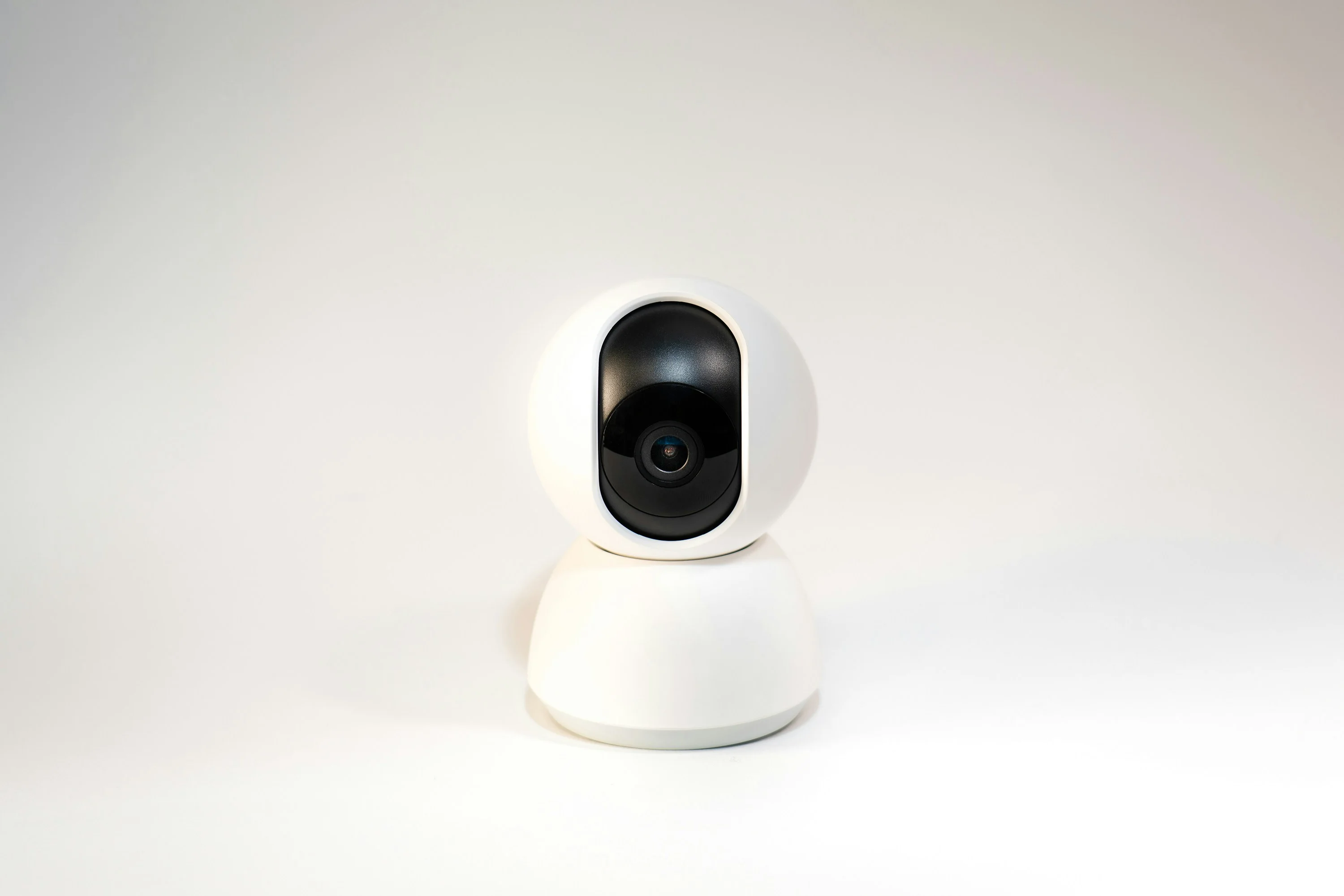
This is where the TP-Link Tapo C200 earns its recommendation. At $24.99 it’s the cheapest camera here, and it’s the only one with free local storage built in — pop in a microSD card (up to 128GB supported) and motion clips save locally, no cloud account needed, recording continues even if your internet goes down.
Pan and tilt set it apart from fixed cameras at this price. The C200 rotates 360° horizontally and 114° vertically, either manually through the app or automatically via motion tracking. One camera can cover a full room, including corners a fixed lens would miss entirely. Night vision is rated to 30 feet in complete darkness — faces are recognizable at around 20 feet in practice, which covers most living rooms and bedrooms.
Works with Alexa and Google Home. The Tapo app is functional but not as polished as Ring or Blink, and the live feed takes 2–3 seconds to load on open. Indoor only — no weather rating.
For anyone monitoring pets, checking on a room remotely, or wanting real-time alerts without an ongoing subscription, this is the right starting point.

”I’m already in the Alexa ecosystem and want a camera that actually integrates”
Ring is the camera brand Amazon built its smart home security around, and it shows. The Ring Indoor Cam Plus at $59.99 isn’t just Alexa-compatible — it’s the camera the Echo Show and Fire TV were designed to work with. Ask Alexa to show the camera and it opens immediately, no lag, no workaround.
Color night vision is the hardware differentiator. Most budget cameras switch to grayscale infrared after dark. The Ring Indoor Cam Plus uses its built-in spotlight to capture color footage at night — which matters when identifying clothing, hair color, or specific objects in a clip. That kind of detail disappears in a grayscale feed.
Two-way audio is clear and low-latency, not the barely-usable implementation that appears in many spec sheets. Ring includes a free tier with up to 60 days of video event history — no subscription required for basic monitoring. The full Ring Protect plan ($5–$20/month) unlocks extended history and richer notifications, and Ring’s ecosystem is clearly built to nudge you toward it eventually. No local storage option — Ring is cloud-only, which means an outage stops recording.
If you have Echo Show devices, other Ring cameras, or want Alexa integration that’s genuinely seamless rather than bolted on, the Ring Indoor Cam Plus earns the extra $35 over the Tapo.

”I want cameras in multiple rooms without spending much per room”
The Blink Mini is the most affordable path to multi-room coverage. At $24.99 it matches the Tapo on price, but its real value shows up when you’re buying several: the Blink Sync Module 2 ($35, often bundled) manages up to 10 Blink cameras from a single hub, and a USB drive attached to that hub stores all motion clips locally with no monthly fee. One Sync Module covers an entire house.
Setup is the simplest of any camera here: plug it in, open the Blink app, scan the QR code on the back, live in under two minutes. No port forwarding, no account complications. Small and discreet enough to position without it being the first thing someone notices in a room.
What it doesn’t have: no pan/tilt (fixed 110° field of view), infrared-only night vision (no color), and motion detection that occasionally misses slow movement at the edges of the frame. Without the Sync Module, you’re on cloud storage with a free 30-day trial and then $3/month. The updated Blink Mini 2 adds battery operation for placement flexibility where outlets aren’t available.
For a single-room setup, the Tapo covers more ground with its pan/tilt. For three rooms on a budget, Blink is the math that works.

What we left out (and why)
Wyze Cam v4 — good specs for $35, but Wyze has had multiple data breaches and privacy incidents. Hard to recommend for home security use.
Eufy Indoor cameras — solid hardware and true local storage, but Eufy faced controversy over unencrypted video uploads to their cloud despite marketing claims of local-only storage. Worth watching, but not on this list right now.
No-name cameras under $15 — resolution specs are typically inflated, apps require cloud accounts with unclear data practices, and firmware updates are non-existent. The $10 you’d save isn’t worth it.
Check your Wi-Fi coverage before positioning any camera. All three picks are 2.4GHz Wi-Fi only — they won’t connect to 5GHz networks. If your router is in a different room, test signal strength at your planned camera location before mounting anything. A camera with one bar of signal will drop connection and miss events constantly.
If you’re covering a large area or multiple rooms, the Blink ecosystem (Mini + Sync Module) scales the most cleanly. For a single room where you want the best image and smart home integration, go Ring. For the most camera at the lowest price with local storage built in, go Tapo.
More Articles
Ring Peephole Cam 2K: What to Know Before You Pre-Order
Ring's newest peephole camera brings 2K resolution and renter-friendly installation to apartments and condos. Here's what changes, what stays the same, and what to check before your door qualifies.
July 22, 2026Best Anker Back to School Tech for Students and Teachers in 2026
Three Anker picks that solve the real problems of campus and classroom life — dead phones between classes, single-port laptops, and never enough outlets.
July 20, 2026Anker Student Discount: How to Save 15% on Charging Gear with Student Beans
Anker offers a verified 15% student discount through Student Beans — here's exactly how to claim it in under two minutes on the US Anker website.
July 20, 2026